KBChan
Turn Streaming into Studying
Watch native content on Netflix, YouTube, Crunchyroll, and more with selectable annotated subtitles
Instantly break down native Japanese and learn, study, and review without ever leaving your favorite
shows
Works with
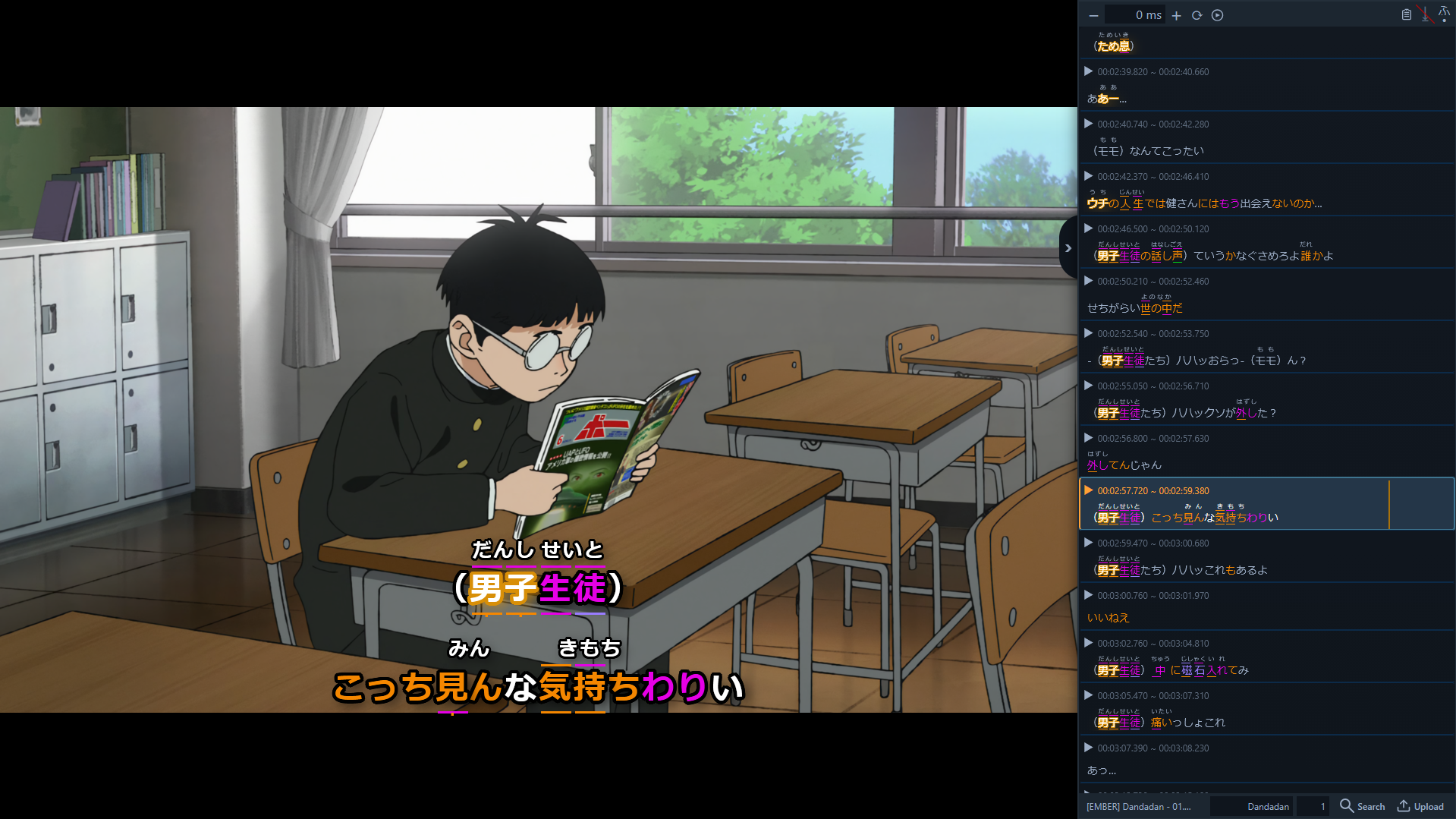
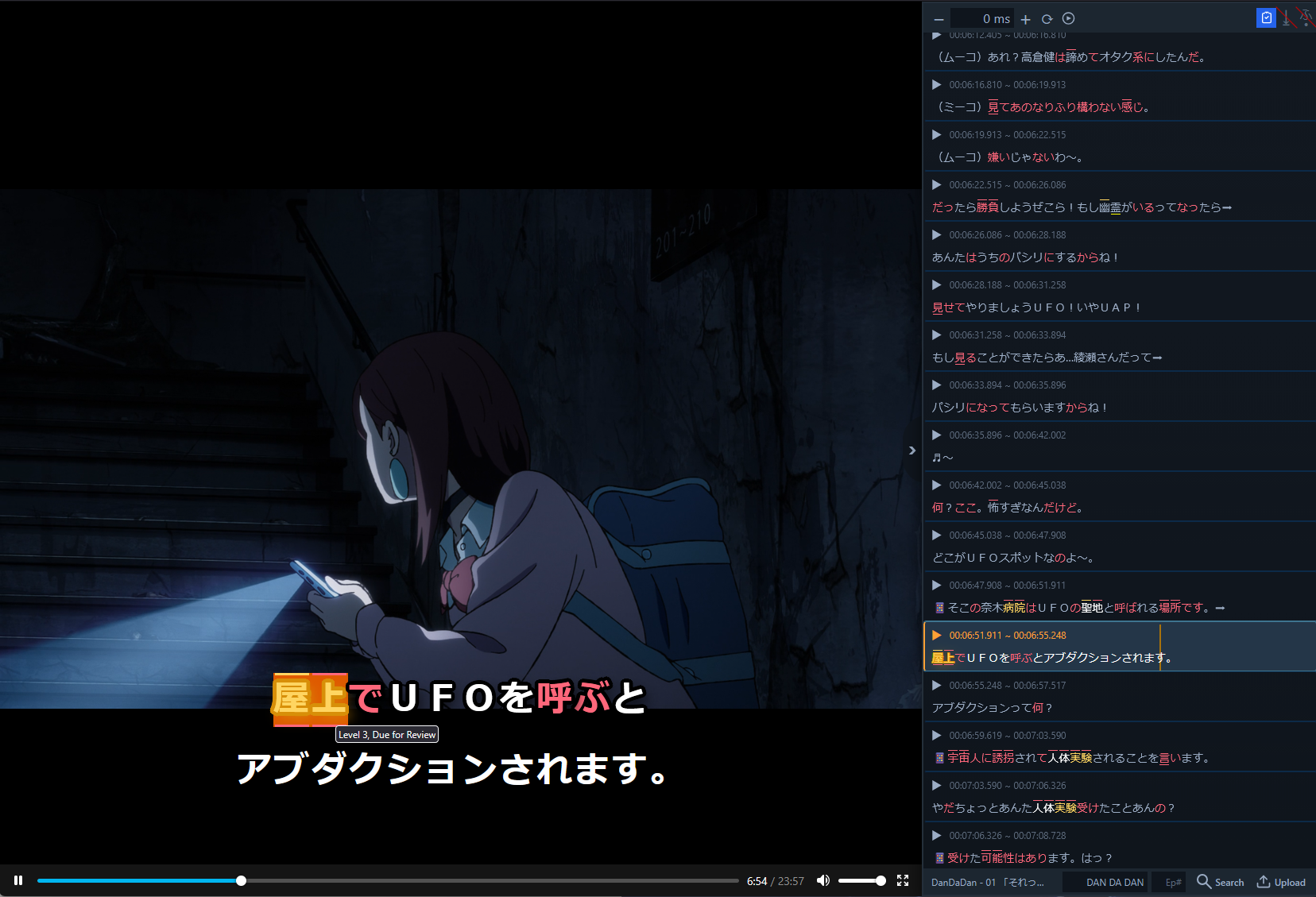
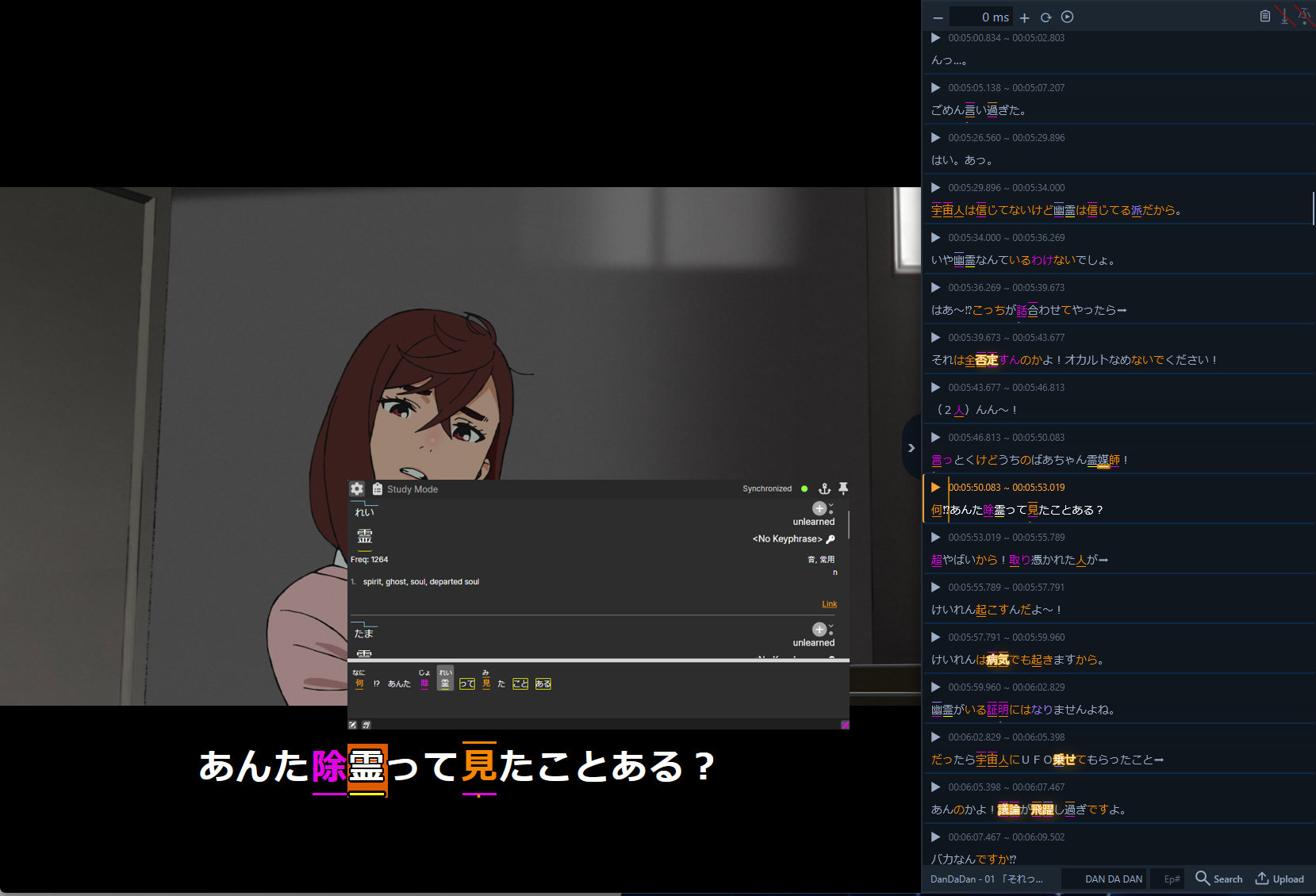
Example use; Dandadan
Optimized Immersion Learning
Learn efficiently from the content you love.
Annotated Subtitles
We overlay a powerful sidebar on your streaming service. See subtitles with breakdowns, annotations, and optional furigana
Instant Lookups
Hover over any word in the subtitle to see definitions, kanji breakdowns, and grammar explanations powered by the KanjiBreakdown desktop app
One-Click Mining
Add words directly to your reviews. KBChan automatically grabs the sentence context to add to your reviews.
Review While Watching
Connects with the Desktop App to let you do your reviews directly in the popup while you watch, without breaking your immersion flow.
Personalized Highlights
Known words are colored based on your KanjiBreakdown level, recommended words are highlighted. Focus exactly where you need to.
Study Mode
Shows the content in the form of a study list, allowing you to quickly pick out words you need to learn or review.
The Whole Ecosystem
KBChan doesn't just work alone; it's part of a whole team.
KanjiBreakdown Web
The Brains
Stores your review progress, personal mnemonic stories, and connects you to other learners.
Visit Website →KBChan Extension
The Helper
Learn from native streaming content from your browser with selectable annotated subtitles.
Desktop App
The Analyser
Breaks down any Japanese text. Provides the popup dictionary overlay and OCR for images (like manga).
Get Desktop App →Coming Soon
We're expanding KanjiBreakdown across more platforms so stay tuned.
MacOS Desktop App
A native macOS build with the same capture, OCR and study and review flows as Windows.
Mobile App (iOS & Android)
Capture text from your on device, screenshots, photos or your microphone and add them to your study queue, or review them on the go.