Breaking Down Japanese, Anywhere
The ultimate tool for Windows to deconstruct and learn Japanese from any text, image, or audio on your screen
Latest portable .zip release
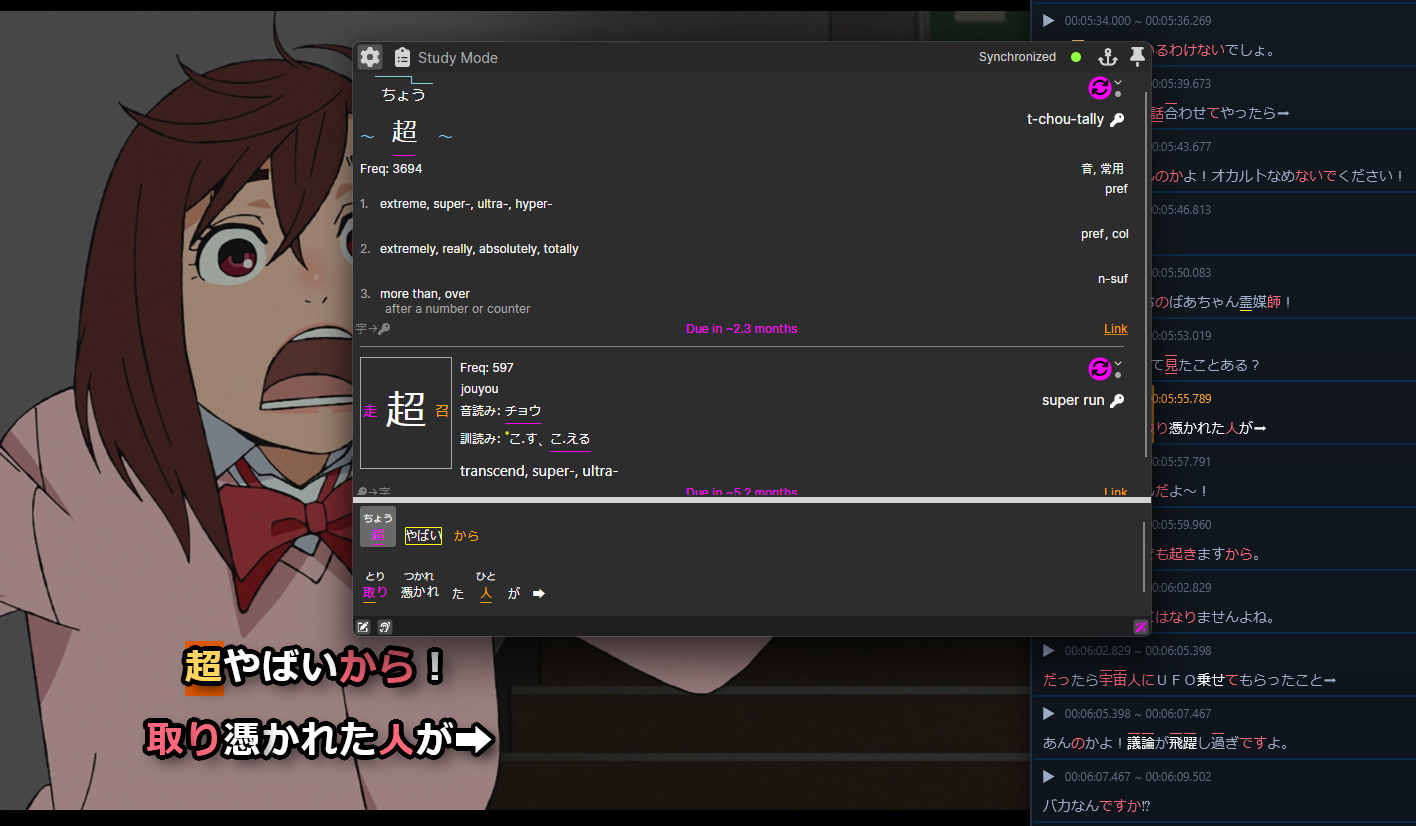
Example use; Dandadan
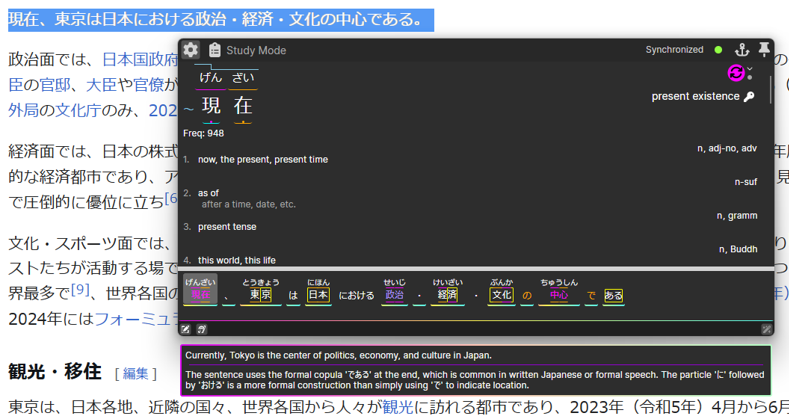
Example use; Wikipedia
Study From Any Text
Break down and study any text on your system. Select Japanese text from websites, documents, eBooks, anime, games, or anything else to
instantly spawn the popup.
Break down sentences into words, grammer points, kanji, readings, and radicals.
Get definitions, sentence explanations, recommended learning order, community shared memory aids, and add to your personal SRS based study queue with one click.
Request an AI explanation or translation for tough or confusing sentences.
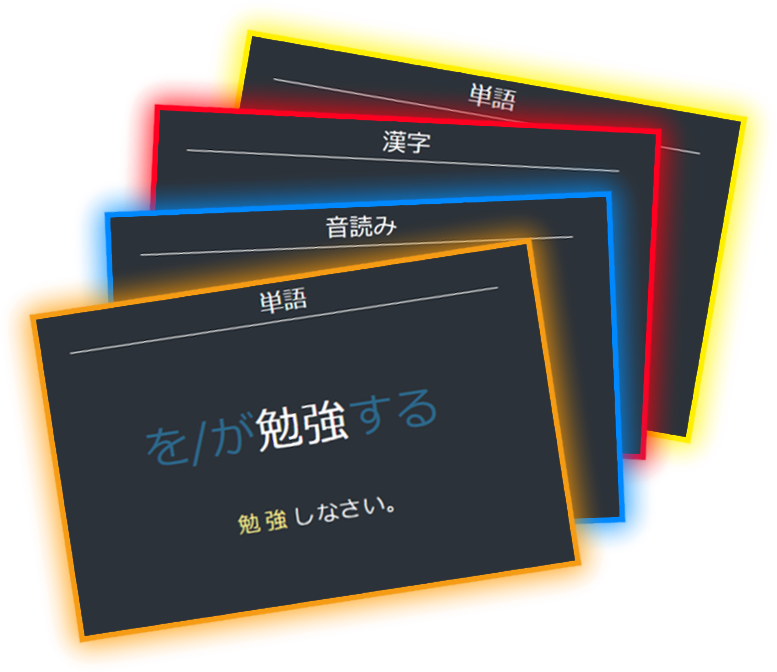
Flashcards? Already Done for You
Connects with kanjibreakdown.com which means every japanese concept has already been broken down into the perfect study items, no flashcard creation needed.
-
Each premade item includes:
- Definitions, grammar notes, parts of speach, frequency.
- Connections between related concepts, like readings, kanji, radicals, signal readings, etc.
- Pitch accent, audio, and example sentences when available
- Your community shared memory aids. (Add your own keyphrases and mnemonics and share!)
- Personalize each concept with your own notes, hints, or sentence context.
Add any word, reading or kanji to your study list with one click in the app and kanjibreakdown.com will queue up the perfect premade flashcards for you.
We'll even automatically add any missing prerequisite concepts you need to learn first!
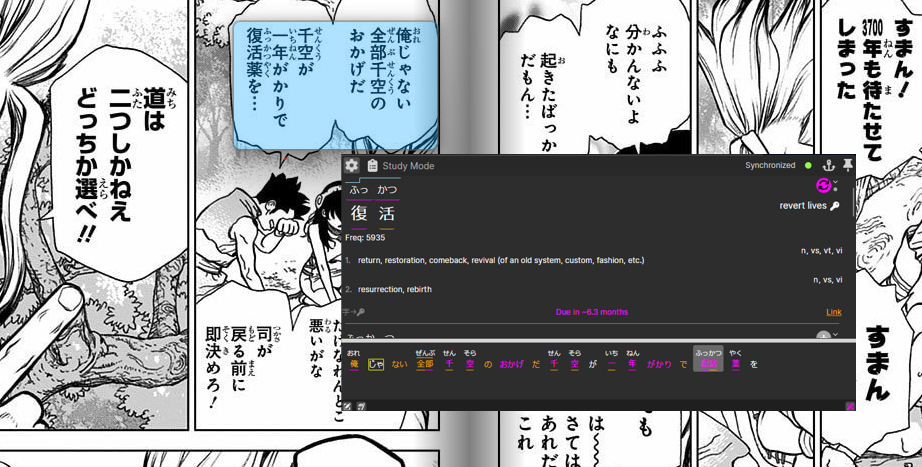
Example manga use; Dr. Stone
Image to Text for Manga or Games
Reading raw manga or playing Japanese games? Simply drag a box over any region of your screen.
Our optical character recognition engine extracts the text and breaks it down, making even unselectable text accessible.
Hint: Use listen mode for audio extraction from videos, games, or songs when you don't have the text!
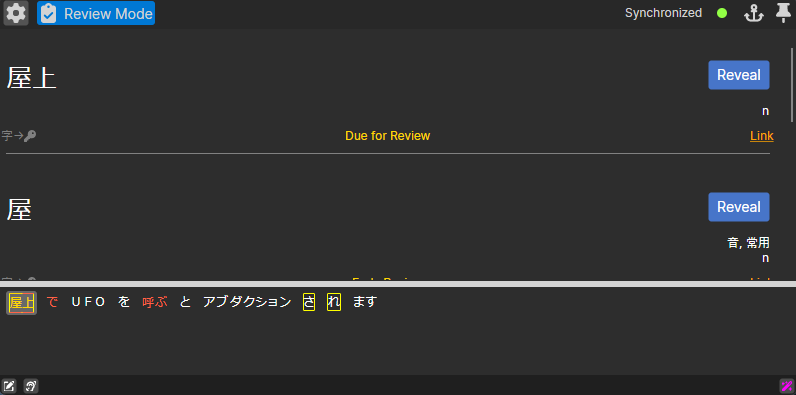
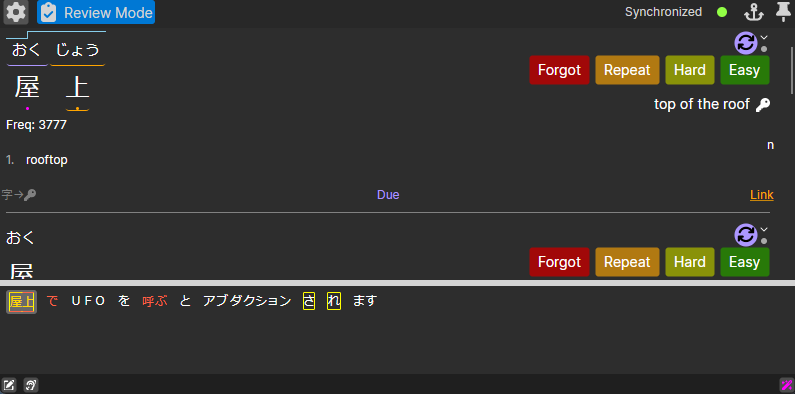
Review as you Read
Hate endless flashcard reviews? Me too. That's what review mode it for!
Test yourself while you read! Definitions and readings are hidden in review mode, and clicking reveal let's you update your review scheduling without ever leaving the material!
We'll even review sub-elements for you automatically, no need to waste time reviewing what you already know.
Less boring studying, and more immersion!
Optimized Guided Sentence Mining
Discover our unique features:
Learn from Anything
Easily capture and analyze Japanese text from any source on your
Windows machine via text selection, screen capture (OCR), or audio transcription.
Test
yourself on familiar material with the Review Mode.
Comprehensive Breakdown
Deconstructs sentences into words, words into kanji readings, and kanji into radicals, linking related concepts for easy navigation and faster learning.
Guided Learning
The app automatically highlights and identifies words or kanji recommended for your level, and adds prerequisite unknown concepts to your study queue in the most effective order with just one click.
Personlized Memory Aids
Create and share your own keyphrases for vocabulary, kanji, and readings to make your studying personal and effective. Share with the community and learn together!
AI-Powered Explanations
Get detailed explanations of tricky grammar points and context-specific word usage from our integrated AI assistant.
Cross-Platform Sync
Connect to your kanjibreakdown account to sync your progress and memory aids, and get user specific level highlighting and learning recomendations.
The Whole Ecosystem
Meet the whole team.
KanjiBreakdown Web
The Brains
Stores your review progress, personal mnemonic stories, and connects you to other learners.
Visit Website →Desktop App
The Analyser
Breaks down any Japanese text. Provides the popup dictionary overlay and OCR for images (like manga).
KBChan Extension
The Helper
Learn from native streaming content from your browser with selectable annotated subtitles.
Get the Web Extension →Getting Started
Follow these simple steps to begin.
Installation
- Download the latest portable
.ziprelease. - Unzip
KanjiBreakdownWin-win-Portable.zipto any directory. - Launch
KanjiBreakdownWin.exeto start.
How to Use
- Select and copy (ctrl-c) Japanese text to capture it and break it down.
- Click on any word, reading, or glyph to explore connections.
- Add your Kanji Breakdown API key in settings for account features. (highlighted knowledge level, adding to learning queue, etc.)
- Click the Add button to add any word, glyph or reading to your learning queue, automatically adding any missing pieces.
- Visit kanjibreakdown.com to study and review!
- Optional: To launch with Windows startup, place a
shortcut in
%APPDATA%\\Microsoft\\Windows\\Start Menu\\Programs\\Startup
Coming Soon
We're expanding KanjiBreakdown across more platforms so stay tuned.
MacOS Desktop App
A native macOS build with the same capture, OCR, study and review flows as Windows.
Mobile App (iOS & Android)
Capture text from your on device, screenshots, photos or your microphone and add them to your study queue, or review them on the go.